PDF to Notes — Turn Any Document Into Study Notes With AI
Upload a PDF and get structured notes in seconds. Key points, definitions, headings, and page references — all generated for you. Save them to your library and review whenever you need.
Upload your PDF to generate notes
Drag and drop your PDF, or click to upload.
Used by students at 6,500+ universities across 47 countries

Notes you keep, not a summary you skim
Reading a 200-page chapter is not studying. Highlighting it is not studying either. PdfGPT generates a structured note set — chapter headings, key terms, definitions, and a short summary per section — that you can actually study from.
Every claim is tagged with the page it came from, so you can verify in one click. The notes save to your library, organized by document and folder, ready to review the night before the exam.
Works on textbook chapters, research papers, lecture slides, course readings — and in 10 languages, including the source PDF's original language and the language you want notes in.


Generate study notes in three steps
Upload, extract, save and review
Upload your PDF.Drag any PDF up to 500 pages on the free plan. Lecture slides, textbook chapters, journal articles, scanned handouts.
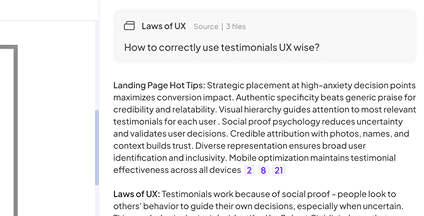
AI extracts the structure.PdfGPT pulls out headings, key terms, definitions, examples, and a per-section summary. Page citations on every fact.
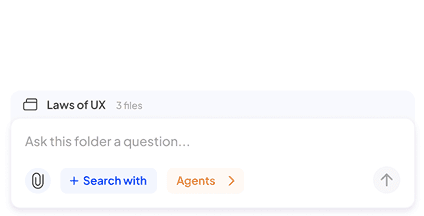
Save and review later.Notes save to your library automatically. Edit in browser, export to PDF or Markdown, generate flashcards, return next week.
Built to generate study notes you actually use
PdfGPT extracts structured notes you can review, share, and study from — not generic summaries that you read once and forget.

Structured notes, not a wall of text
Headings, bullet points, key terms, and per-section summaries match the source document's structure.

Page citations on every fact
Verify any claim by clicking the page reference. No hallucinations, ever.

Auto-generated flashcards
One click converts any term or definition into a spaced-repetition flashcard. Or generate a full deck from the document.

Save to your library
Notes persist in your account, organized by folder and tag. Search across every note you have ever generated.

Combine notes from many PDFs
Upload an entire course's readings into one folder and generate a unified note set in Deep Research mode.

OCR for scanned PDFs
Scanned class handouts, photographed pages, and image-based PDFs are processed automatically.

Export anywhere
Download as PDF, Markdown, or plain text. Notion export on the Student plan.

10 languages supported
Generate notes in English, Spanish, Italian, French, German, Arabic and more — even if the PDF is in a different language.

Free tier with no card
25 notes per month, 500-page PDFs, 5 deep research reports. No signup required to try.

Simple, no learning curve
Upload, click generate, get your notes. No prompt engineering required.

Secure and private
Documents encrypted in transit and at rest. We never train models on your uploads.

Mobile-ready
Generate and review notes on your phone. Useful for studying on the go.
高度なAI機能を手頃なプランで
無料のAI PDF要約ツールを最大限に活用。追加機能が必要なら、お得なプランをチェックしてください.

Built for retention, not one-shot use
Most AI summarizers give you a wall of text and you close the tab. That is not studying. PdfGPT gives you an artifact you keep, return to, and study from.

Save and return
Notes live in your account organized by document and folder. Open them next week and pick up where you left off.

Active recall built in
Auto-generated flashcards and quizzes from your notes. Active recall beats re-reading.

One source of truth
All your course readings, distilled into one searchable note library. Replaces the messy folder of highlighted PDFs.

PDFGPTは安全なクラウドストレージとカスタマイズ可能な削除スケジュールで、ファイルのセキュリティとプライバシーを守ります。FreeまたはBasicプランのユーザーには7日ごとの自動削除、有料ユーザーは自身のスケジュールを設定できます。


What students do with PdfGPT notes
Real workflows from our 165,000+ users — most of them students at 6,500+ universities.
Cram for exams
Drop in 6 chapters, generate notes for each, review the flashcards in the 48 hours before the exam.
Take open-book exams
Searchable structured notes beat a 400-page PDF when you have 90 minutes and 50 questions.
Study foreign-language coursework
Generate notes in your native language even when the PDF is in English, Spanish, or Italian.
Build a study group library
Share generated notes with classmates. Everyone studies from the same source-cited material.
💜 PdfGPTコミュニティの声
PdfGPTについて知っておくべきすべて。
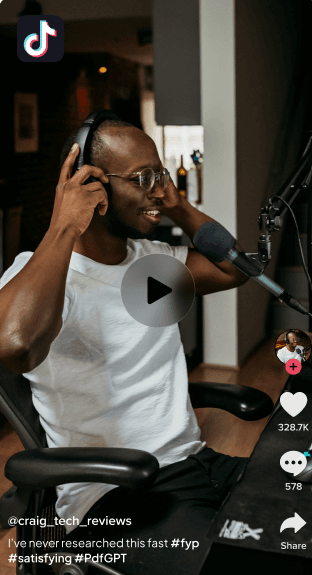

Sofia M
@JournoSofiaM
Just used PdfGPT for a story I’m working on and I’m blown away. I fed it interviews, reports, and a messy folder of background documents.

It didn’t just summarize, it cross-checked quotes from interviews against official reports and showed me where a key source contradicted themselves.

I asked it to validate a claim, and it pulled up recent, credible references without hallucinating.

This is the first AI tool I’ve used that actually respects accuracy. Journalists: this is the one.
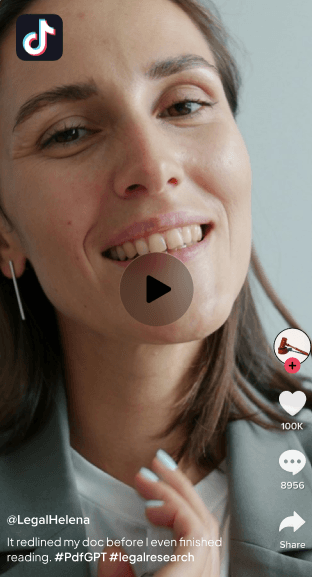

ジョンパーク
@LegalJonPark
半分の時間で契約を見直しました。PdfGPTはすべての競合にフラグを立てました。
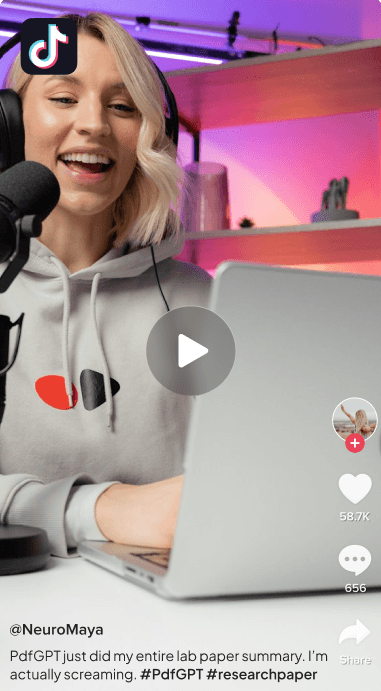

Maya Ellington博士
神経科学の研究者
PdfGPTは私のデフォルトの研究仲間となっています. これは、数十の研究を通じて洞察を結び付け、私が見逃していたであろう方法論的ギャップさえも強調します.


980 • 465 Comments

Jason Wu
コントラクトスペシャリスト
PdfGPTが生成する赤線サマリは簡潔で正確であり、リビジョンを確認するのに最適です。
679 • 653 Comments

ルーカスドン
@LucasD_データ
If you’re a PhD student drowning in papers, PLEASE try PdfGPT. I spent months trying to piece together my literature review manually.

PdfGPT read everything! all 50 papers! and automatically grouped them into themes, highlighted contradictions, and even spotted duplicate citations across old notes I forgot about.

The note-taking feature + multi-document chat is insane. I can ask: “Which papers disagree with the main hypothesis?”

And it gives a clear, cited answer. This would’ve saved me an entire semester.


Generate your notes — Free
Drop a PDF and get studyable notes in 30 seconds. No signup needed. Save them to your account when you are ready to come back.
Related PDF AI Tools
Pick the workflow that fits your task — every tool is part of the same free PdfGPT account.
質問する前に回答する
PdfGPTについて知っておくべきすべて。
PdfGPTにアップロードできるファイル形式は?
PdfGPTは複数の文書を一度に処理できますか?
PdfGPTはChatGPTやChatPDFとどう違いますか?
PdfGPTエージェントとは何ですか? どのように動作しますか?
PdfGPTは、研究や検証を行う際にライブデータを使用しますか?
私のデータは安全でプライベートですか?
PdfGPT内でチームとコラボレーションすることはできますか?
エージェントを作成できますか?
PdfGPTは他のツールと統合できますか?
PdfGPTをオフラインまたは機密データと一緒に使用できますか?