PDF to Notes — Turn Any Document Into Study Notes With AI
Upload a PDF and get structured notes in seconds. Key points, definitions, headings, and page references — all generated for you. Save them to your library and review whenever you need.
Upload your PDF to generate notes
Drag and drop your PDF, or click to upload.
Used by students at 6,500+ universities across 47 countries

Notes you keep, not a summary you skim
Reading a 200-page chapter is not studying. Highlighting it is not studying either. PdfGPT generates a structured note set — chapter headings, key terms, definitions, and a short summary per section — that you can actually study from.
Every claim is tagged with the page it came from, so you can verify in one click. The notes save to your library, organized by document and folder, ready to review the night before the exam.
Works on textbook chapters, research papers, lecture slides, course readings — and in 10 languages, including the source PDF's original language and the language you want notes in.


Generate study notes in three steps
Upload, extract, save and review
Upload your PDF.Drag any PDF up to 500 pages on the free plan. Lecture slides, textbook chapters, journal articles, scanned handouts.
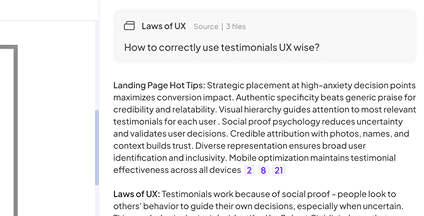
AI extracts the structure.PdfGPT pulls out headings, key terms, definitions, examples, and a per-section summary. Page citations on every fact.
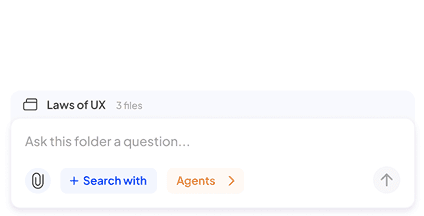
Save and review later.Notes save to your library automatically. Edit in browser, export to PDF or Markdown, generate flashcards, return next week.
Built to generate study notes you actually use
PdfGPT extracts structured notes you can review, share, and study from — not generic summaries that you read once and forget.

Structured notes, not a wall of text
Headings, bullet points, key terms, and per-section summaries match the source document's structure.

Page citations on every fact
Verify any claim by clicking the page reference. No hallucinations, ever.

Auto-generated flashcards
One click converts any term or definition into a spaced-repetition flashcard. Or generate a full deck from the document.

Save to your library
Notes persist in your account, organized by folder and tag. Search across every note you have ever generated.

Combine notes from many PDFs
Upload an entire course's readings into one folder and generate a unified note set in Deep Research mode.

OCR for scanned PDFs
Scanned class handouts, photographed pages, and image-based PDFs are processed automatically.

Export anywhere
Download as PDF, Markdown, or plain text. Notion export on the Student plan.

10 languages supported
Generate notes in English, Spanish, Italian, French, German, Arabic and more — even if the PDF is in a different language.

Free tier with no card
25 notes per month, 500-page PDFs, 5 deep research reports. No signup required to try.

Simple, no learning curve
Upload, click generate, get your notes. No prompt engineering required.

Secure and private
Documents encrypted in transit and at rest. We never train models on your uploads.

Mobile-ready
Generate and review notes on your phone. Useful for studying on the go.
고급 AI 기능을 위한 합리적인 요금제
무료 AI PDF 요약기를 최대한 활용하세요. 추가 기능이 필요하다면 합리적인 요금제를 살펴보세요.

Built for retention, not one-shot use
Most AI summarizers give you a wall of text and you close the tab. That is not studying. PdfGPT gives you an artifact you keep, return to, and study from.

Save and return
Notes live in your account organized by document and folder. Open them next week and pick up where you left off.

Active recall built in
Auto-generated flashcards and quizzes from your notes. Active recall beats re-reading.

One source of truth
All your course readings, distilled into one searchable note library. Replaces the messy folder of highlighted PDFs.

PDFGPT는 안전한 클라우드 스토리지와 사용자 지정 삭제 일정으로 파일의 보안과 프라이버시를 보장합니다. Free 또는 Basic 요금제 사용자는 7일마다 자동 삭제되며, 유료 사용자는 직접 일정을 설정할 수 있습니다.


What students do with PdfGPT notes
Real workflows from our 165,000+ users — most of them students at 6,500+ universities.
Cram for exams
Drop in 6 chapters, generate notes for each, review the flashcards in the 48 hours before the exam.
Take open-book exams
Searchable structured notes beat a 400-page PDF when you have 90 minutes and 50 questions.
Study foreign-language coursework
Generate notes in your native language even when the PDF is in English, Spanish, or Italian.
Build a study group library
Share generated notes with classmates. Everyone studies from the same source-cited material.
💜 PdfGPT 커뮤니티의 목소리
PdfGPT에 대해 알아야 할 모든 것.
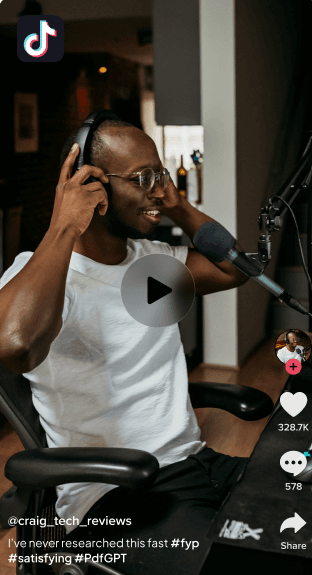

Sofia M
@JournoSofiaM
방금 작업 중이던 기사에 PdfGPT를 사용해봤는데 정말 놀랐습니다. 인터뷰, 보고서, 그리고 뒤죽박죽인 참고 문서 폴더를 넣었어요.

요약만 한 것이 아니라, 인터뷰 인용문을 공식 보고서와 교차 검증하고 주요 출처가 스스로를 모순한 부분까지 보여줬습니다.

주장을 검증해달라고 요청했더니, 최신의 신뢰할 수 있는 참고 자료를 환각 없이 제시했습니다.

정확성을 실제로 존중하는 AI 도구는 처음입니다. 기자분들: 이게 바로 그겁니다.
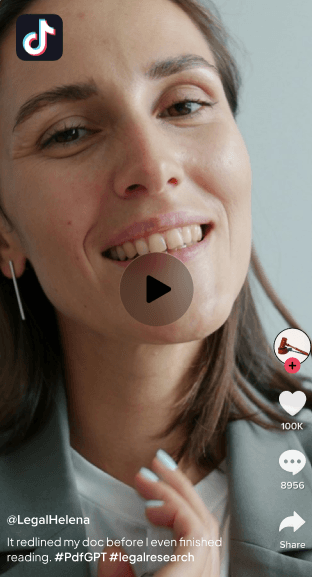

Jon Park
@LegalJonPark
계약서를 절반 시간만에 검토했습니다. PdfGPT가 모든 충돌을 표시해줬습니다.
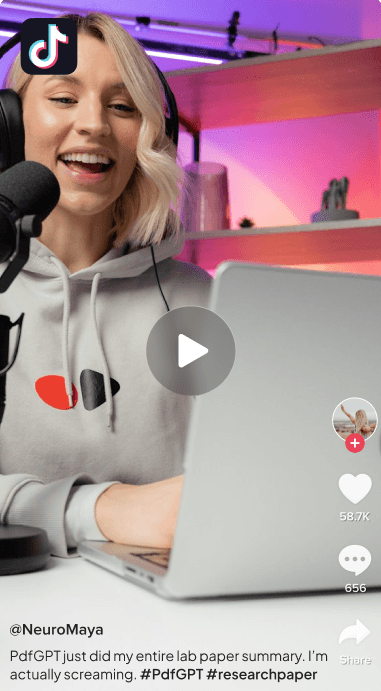

Dr. Maya Ellington
신경과학 연구원
PdfGPT는 이제 제 기본 연구 파트너입니다. 수십 개의 연구에서 인사이트를 연결해주고, 제가 놓칠 수 있었던 방법론적 격차까지 강조해줍니다.


980 • 465 Comments

Jason Wu
계약 전문가
PdfGPT가 생성하는 레드라인 요약은 간결하고 정확합니다. 개정사항 검토에 완벽합니다.
679 • 653 Comments

Lucas Don
@LucasD_Data
논문 때문에 수많은 자료에 파묻힌 박사과정 학생이라면, 제발 PdfGPT를 사용해보세요. 문헌 리뷰를 직접 수개월 동안 이어붙이려 했습니다.

PdfGPT는 모든 걸 읽었습니다! 무려 50편의 논문을! 그리고 자동으로 주제별로 묶고, 모순점을 강조하고, 제가 잊고 있던 오래된 노트의 중복 인용까지 찾아냈습니다.

노트 작성 기능 + 멀티 문서 채팅은 정말 미쳤습니다. 저는 이렇게 물어볼 수 있어요: “주요 가설에 반대하는 논문은 무엇인가?”

그러면 명확하고 인용된 답변을 줍니다. 이 기능을 일찍 알았더라면 한 학기는 절약했을 겁니다.


Generate your notes — Free
Drop a PDF and get studyable notes in 30 seconds. No signup needed. Save them to your account when you are ready to come back.
Related PDF AI Tools
Pick the workflow that fits your task — every tool is part of the same free PdfGPT account.
Answers, Before You Ask
Everything you should know about PdfGPT.
What file formats can I upload to PdfGPT?
Can PdfGPT handle multiple documents at once?
How is PdfGPT different from ChatGPT or ChatPDF?
What are PdfGPT Agents, and how do they work?
Does PdfGPT use live data when doing research or verification?
Is my data secure and private?
Can I collaborate with my team inside PdfGPT?
Can I create my own Agents?
Can PdfGPT integrate with other tools?
Can I use PdfGPT offline or with confidential data?