PDF to Notes — Turn Any Document Into Study Notes With AI
Upload a PDF and get structured notes in seconds. Key points, definitions, headings, and page references — all generated for you. Save them to your library and review whenever you need.
Upload your PDF to generate notes
Drag and drop your PDF, or click to upload.
Used by students at 6,500+ universities across 47 countries

Notes you keep, not a summary you skim
Reading a 200-page chapter is not studying. Highlighting it is not studying either. PdfGPT generates a structured note set — chapter headings, key terms, definitions, and a short summary per section — that you can actually study from.
Every claim is tagged with the page it came from, so you can verify in one click. The notes save to your library, organized by document and folder, ready to review the night before the exam.
Works on textbook chapters, research papers, lecture slides, course readings — and in 10 languages, including the source PDF's original language and the language you want notes in.


Generate study notes in three steps
Upload, extract, save and review
Upload your PDF.Drag any PDF up to 500 pages on the free plan. Lecture slides, textbook chapters, journal articles, scanned handouts.
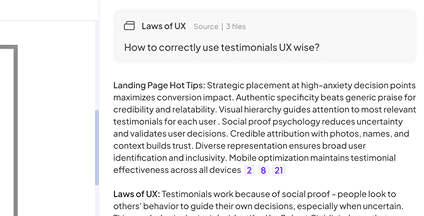
AI extracts the structure.PdfGPT pulls out headings, key terms, definitions, examples, and a per-section summary. Page citations on every fact.
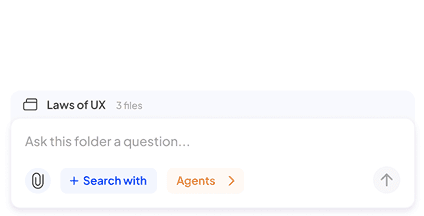
Save and review later.Notes save to your library automatically. Edit in browser, export to PDF or Markdown, generate flashcards, return next week.
Built to generate study notes you actually use
PdfGPT extracts structured notes you can review, share, and study from — not generic summaries that you read once and forget.

Structured notes, not a wall of text
Headings, bullet points, key terms, and per-section summaries match the source document's structure.

Page citations on every fact
Verify any claim by clicking the page reference. No hallucinations, ever.

Auto-generated flashcards
One click converts any term or definition into a spaced-repetition flashcard. Or generate a full deck from the document.

Save to your library
Notes persist in your account, organized by folder and tag. Search across every note you have ever generated.

Combine notes from many PDFs
Upload an entire course's readings into one folder and generate a unified note set in Deep Research mode.

OCR for scanned PDFs
Scanned class handouts, photographed pages, and image-based PDFs are processed automatically.

Export anywhere
Download as PDF, Markdown, or plain text. Notion export on the Student plan.

10 languages supported
Generate notes in English, Spanish, Italian, French, German, Arabic and more — even if the PDF is in a different language.

Free tier with no card
25 notes per month, 500-page PDFs, 5 deep research reports. No signup required to try.

Simple, no learning curve
Upload, click generate, get your notes. No prompt engineering required.

Secure and private
Documents encrypted in transit and at rest. We never train models on your uploads.

Mobile-ready
Generate and review notes on your phone. Useful for studying on the go.
Planos acessíveis para recursos avançados de IA
Aproveite ao máximo nosso resumidor de PDF gratuito. Para recursos extras, confira nossos planos econômicos.

Built for retention, not one-shot use
Most AI summarizers give you a wall of text and you close the tab. That is not studying. PdfGPT gives you an artifact you keep, return to, and study from.

Save and return
Notes live in your account organized by document and folder. Open them next week and pick up where you left off.

Active recall built in
Auto-generated flashcards and quizzes from your notes. Active recall beats re-reading.

One source of truth
All your course readings, distilled into one searchable note library. Replaces the messy folder of highlighted PDFs.

O PDFGPT garante a segurança e a privacidade dos seus arquivos com armazenamento em nuvem seguro e exclusões personalizáveis. Usuários dos planos Free ou Basic têm exclusão automática a cada sete dias, enquanto usuários pagos podem definir seu próprio agendamento.


What students do with PdfGPT notes
Real workflows from our 165,000+ users — most of them students at 6,500+ universities.
Cram for exams
Drop in 6 chapters, generate notes for each, review the flashcards in the 48 hours before the exam.
Take open-book exams
Searchable structured notes beat a 400-page PDF when you have 90 minutes and 50 questions.
Study foreign-language coursework
Generate notes in your native language even when the PDF is in English, Spanish, or Italian.
Build a study group library
Share generated notes with classmates. Everyone studies from the same source-cited material.
💜 Voices da comunidade PdfGPT
Tudo o que você deve saber sobre o PdfGPT.
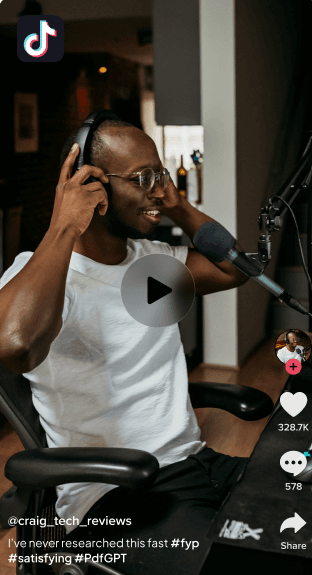

Sofia M
@Jornada
Just used PdfGPT for a story I’m working on and I’m blown away. I fed it interviews, reports, and a messy folder of background documents.

It didn’t just summarize, it cross-checked quotes from interviews against official reports and showed me where a key source contradicted themselves.

I asked it to validate a claim, and it pulled up recent, credible references without hallucinating.

This is the first AI tool I’ve used that actually respects accuracy. Journalists: this is the one.
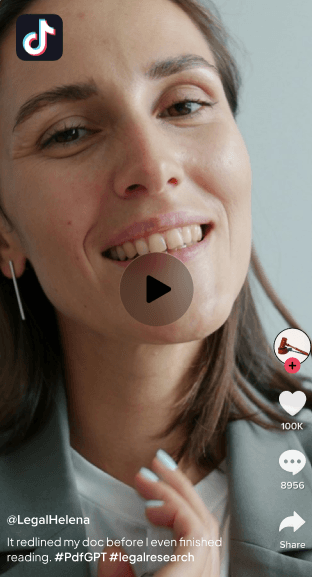

Parque Jon
@LegalJonPark
Basta revisar um contrato pela metade. PdfGPT sinalizou todos os conflitos.
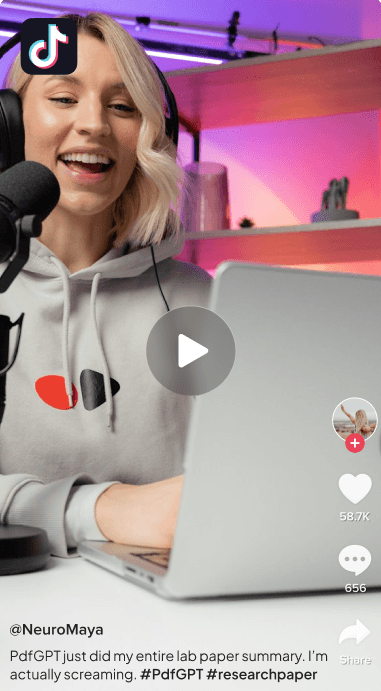

Dr. Maya Ellington
Pesquisador de Neurociência
PdfGPT tornou-se meu companheiro de pesquisa padrão. Ele conecta informações em dezenas de estudos e até destaca lacunas metodológicas que eu teria perdido.


980 • 465 Comments

Jason Wu
Especialista do contrato
Os resumos do redline produzido pelo PdfGPT são concisos e precisos. Perfeito para revisar as revisões.
679 • 653 Comments

Don de Lucas
@LucasD_Data
Se você é um estudante de PhD se afogando em papéis, PODER experimentar o PdfGPT. Passei meses a tentar refazer a minha avaliação de literatura manualmente.

PdfGPT leu tudo! Todos os 50 papéis! e agrupou-as automaticamente em temas, evidenciadas contradições, e até mesmo avistadas citações duplicadas em notas antigas das quais eu esqueci

O recurso de anotações + chat multi-documentos é insano. Eu posso perguntar: "Quais documentos discordam da hipótese principal?"

E dá uma resposta clara e citada. Isso teria me salvo um semestre inteiro.


Generate your notes — Free
Drop a PDF and get studyable notes in 30 seconds. No signup needed. Save them to your account when you are ready to come back.
Related PDF AI Tools
Pick the workflow that fits your task — every tool is part of the same free PdfGPT account.
Respostas, antes de você perguntar
Tudo o que você deve saber sobre o PdfGPT.
Quais formatos de arquivo posso enviar para PdfGPT?
O PdfGPT pode manipular vários documentos de uma só vez?
PdfGPT é diferente do ChatGPT ou ChatPDF?
O que são agentes PdfGPT e como eles funcionam?
O PdfGPT usa dados ao vivo ao fazer pesquisa ou verificação?
Os meus dados são seguros e privados?
Posso colaborar com minha equipe dentro do PdfGPT?
Posso criar meus próprios agentes?
O PdfGPT pode se integrar com outras ferramentas?
Posso usar o PdfGPT offline ou com dados confidenciais?